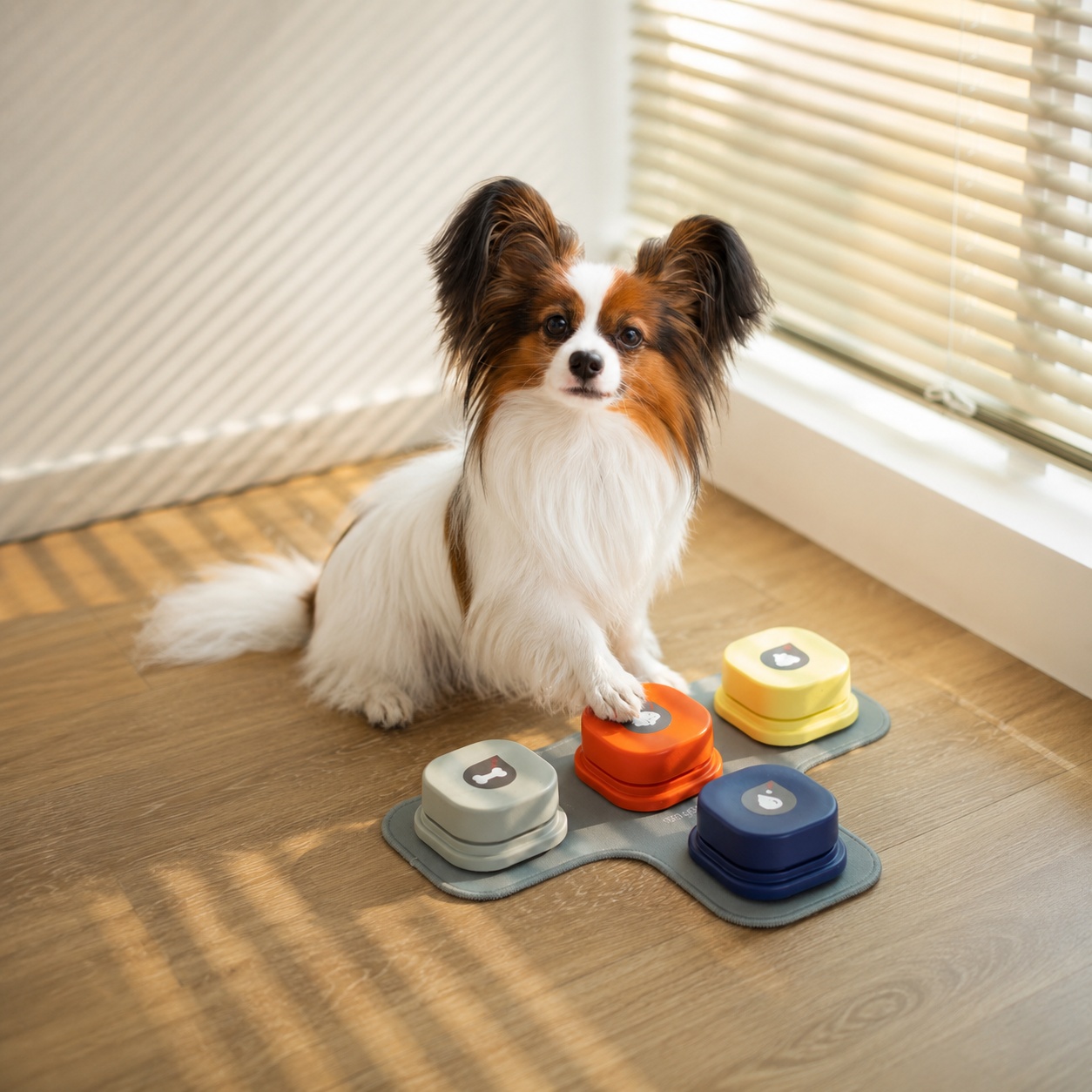
The best soundboards look less like a control panel and more like a little piece of your shared life. Maybe “outside” lives by the door, “play” waits near the toy basket, and a dog who once communicated with meaningful eyebrow lifts now has a bright new way to make a request.
A dog button mat should support that bit of everyday magic. It does not need to look like Bunny’s board or anyone else’s. It only needs to stay put, make sense to your dog, and leave enough room for happy, slightly chaotic paws.
First decide what the physical setup needs to fix
Loose buttons are often enough for one clear routine. An outside cue near the door or a food cue near the feeding area doesn’t automatically require a board. But loose buttons have a habit of drifting: they get nudged during cleaning, slide on hard floors, or migrate just far enough that your dog no longer meets the cue where you modeled it.
A mat creates a home base. A board creates a more fixed pattern. Expandable tiles give you a way to build zones as your vocabulary grows. Pick the smallest of those that solves the problem you actually have today. For the category-level decision, start with Talking Dog Buttons, then come back here when it’s time to make the buttons you chose easy to reach and use.
When a mat makes sense
A dog button mat helps most when your buttons slide, when a compact starter set needs a clear boundary, or when you want one predictable training location. Think of it as a way to remove a layer of physical inconsistency, so your dog meets the same cue in the same spot every time.
Look for a surface that stays put and leaves room around each button. Before you arrange anything permanently, watch how your dog approaches a press. Some dogs nose a button carefully. Others step forward with a paw, turn sharply, or put weight on the edge. Build the setup around your dog’s actual movement rather than the tidy grid you’d prefer.
Give buttons breathing room
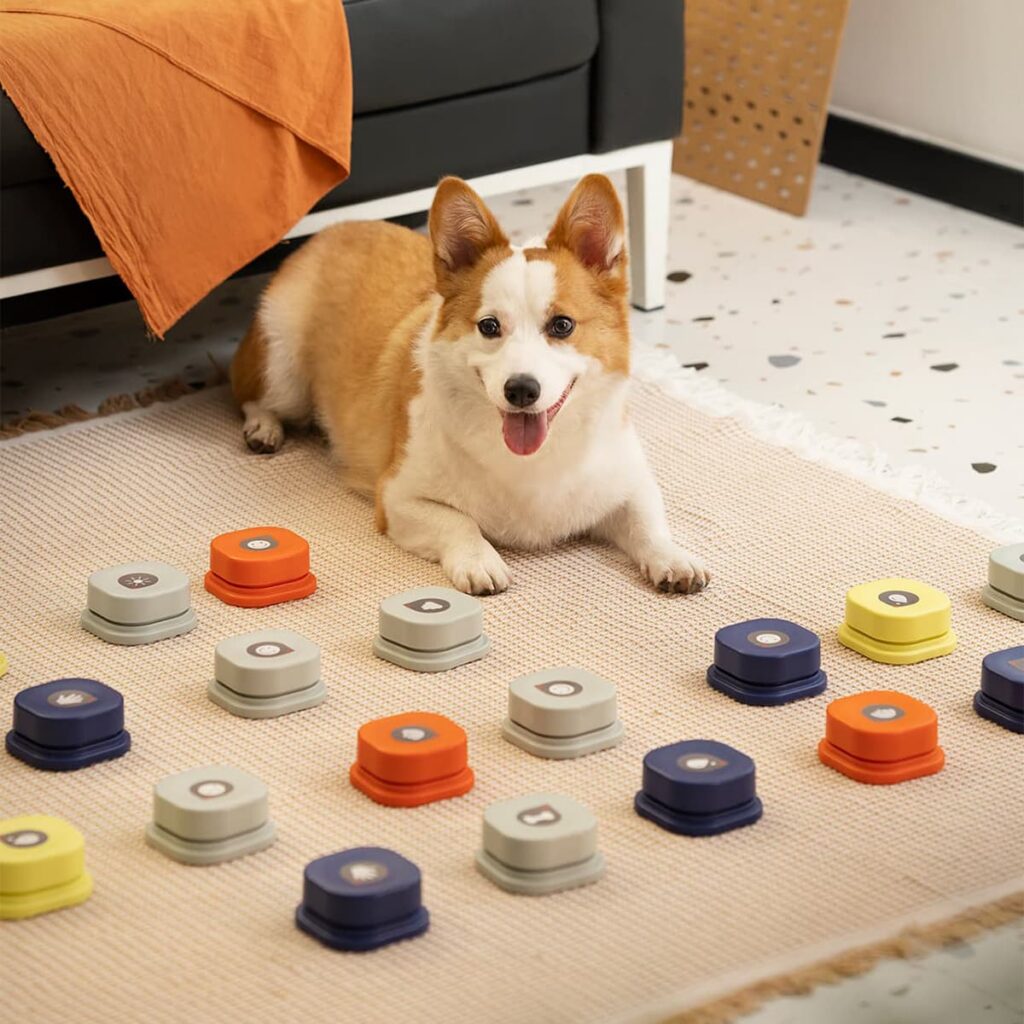
Crowding is a common layout mistake. Two buttons that seem comfortably separated to your hand can be far too close for an eager paw. Leave enough space to reduce accidental neighbor presses, especially around words your dog uses often. When a press is ambiguous, you get less useful information and your dog gets less consistent feedback.
Keep urgent or routine-critical cues easy to reach. Outside is the obvious example. If that one word is a reliable request, don’t let it disappear into the least accessible corner of a large dog button board. Some homes are better served by keeping the door request separate altogether; Dog Doorbell vs Potty Bell vs Talking Buttons explains when a bell or dedicated door device is the cleaner tool.
Build zones around routines, not decoration
The best dog button soundboard layouts usually mirror activities you can follow through on. Food, water, play, outside, and all done are easier to place because they connect to repeatable moments. Grouping helps once you have enough words to make navigation harder, though it should stay simple enough to use in a hurry. A color-coded category does your dog no good if the people using the system can’t remember where the cue lives.
Choose your words before you choose empty spaces to fill. Best Words for Dog Buttons covers practical first vocabulary and the reason abstract words should wait. If you can’t model a word consistently, moving it to a new tile won’t fix the underlying training gap.
Grow the board slowly
Add a button only when you have a routine to attach to it and your existing layout is still easy to read. A practical check is simple: can your dog find the current buttons without hunting, can every family member model the same word, and can you tell a purposeful press from a bump? If any answer is no, pause the expansion.
FluentPet is most relevant when you need a structured, expandable layout; its system is discussed in FluentPet Buttons Review. Hunger for Words can suit a smaller starting arrangement; see Hunger for Words Talking Pet Starter Set Review. Mewoofun sits in the mat-oriented starter lane, which may appeal if you want a bounded surface from day one — though its kits sell out regularly, so the MewooFun Amazon store is the more dependable place to find one. Treat all of these as form-factor differences rather than promises about communication outcomes.
Keep social-media setups in perspective
Large, photogenic boards can be useful inspiration for what an organized system looks like, though you can skip them entirely as a milestone. Bunny, Stella, and similar examples are search context rather than proof that every dog needs dozens of words or a room-sized display. A few stable, well-spaced buttons you use consistently are a stronger start than a beautiful board nobody can maintain.
Test the layout before you make it permanent
Use your arrangement for a week before you treat it as fixed. Notice where your dog approaches from, which button gets bumped most often, and whether the buttons stay in position after normal cleaning and play. If you keep having to redirect your dog toward the right corner, the board is serving the design instead of the routine. Move one problem button at a time so your dog isn’t asked to relearn the entire map.
A simple row can be easier than a category grid when you only have a few dependable words. Once the number grows, a clear gap between routine groups usually helps more than packing every available space. Aim for a setup that lets your dog land a press cleanly and lets you respond with confidence.
Do not let the surface create false signals
A slipping button, a mat edge that curls, or a board placed in a narrow walkway can create presses that look intentional but are mostly traffic. Read that as a sign the physical conditions need a closer look. Stabilize the surface, move it out of a collision path, and observe again before you assign meaning to a stray press. A good layout makes the routine easier to read for everyone in the house.
Final setup check
Before you buy a new dog button mat or rearrange a board, ask three questions: Does it stay put? Can your dog physically reach each cue without bumping another? Does the layout follow routines you can reinforce? Three yes answers mean the setup is working the way it should.
Then ask a fourth question separately: is there a clear reason to add the next button? A no there is a perfectly good answer, and often the right one. Expand only when a new routine genuinely calls for a new word. If you’re still choosing the system itself, use Best Dog Talking Buttons for Communication for the product lane rather than turning your layout decision into a shopping list.
Make room for a board with personality
There is no prize for building the biggest display. The sweetest layouts often grow around the routines a particular dog truly loves: a scruffy outside button by the door, a play button worn shiny from use, a little cluster that makes perfect sense to one devoted household. Let the board become a living map of your dog’s favorite things, then change it kindly when your dog shows you a better way.